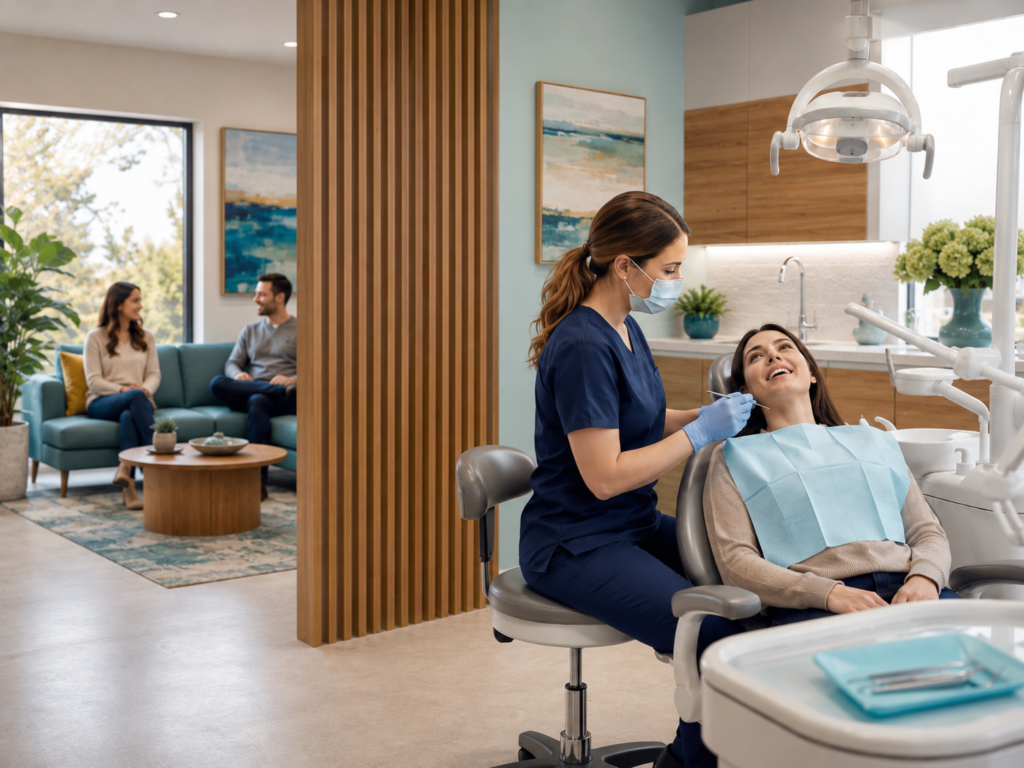
Running a dental practice is challenging, but acquiring new patients shouldn't be. Google Ads for dentists can deliver fast results, but only if set up correctly. Many have tried ads before and seen minimal returns. Learn how to launch Google Ads effectively to attract genuine patients, not uninterested clicks, and grow the practice with profit and purpose. Ready to expand? Let’s get started.
Key Takeaways:
- Set up Google Ads in Expert Mode; choose “Search” campaign, and select local targeting (5–10 miles), with language preferences.
- Build campaigns around dental services (e.g., Implants, Cleanings); use tightly matched keywords and focused ad groups.
- Use “Maximize Clicks” to start; switch to “Target CPA” after enough data is collected; typical starting budget: $20–$30/day.
- Use high-intent, long-tail, and local keywords; lower waste with negative keywords like “free dentist.”
- Use fast, mobile-friendly, service-specific landing pages with clear CTAs and trust signals.
- Add ad extensions like call, sitelink, and location to boost CTR and ad quality.
- Track CTR (aim for >5%), CPC, and ROI (target 300%). Use Google Ads, Analytics, and call tracking tools.
- Emergency ads work well after hours with urgent, benefit-focused messages and off-hour ad schedules.
- Search ads are best for bookings; display/video ads help increase brand awareness.
- Good PPC agencies provide structured ad setups, lead monitoring, and better ROI by avoiding common mistakes.
How Can Dentists Set Up Their First Successful Google Ads Campaign?
Initial Setup for Google Ads for Dentists
Starting a Google Ads campaign can be straightforward and rewarding for dental practices. Establish a Google Ads account by visiting Google Ads and selecting "Start Now." Use a business email and choose "Switch to Expert Mode" to gain full control of the campaign settings.
Opt to "Create a campaign without a goal's guidance" to gain flexibility. Select "Search" as the campaign type, which effectively targets people actively seeking dental services like "emergency tooth pain" or "teeth whitening near me."
Steps for Google Ads Account Setup for Dentists
After setting up a Google Ads account and selecting Expert Mode, create a Search campaign. Name it clearly, such as "New Patient Campaign,” and configure networks to "Google Search Only." Disable "Search Partners" and "Display Network" to center the budget on high-intent searches.
Define the service area using a radius of 5–10 miles. Adjust location targeting to "Presence: People in or regularly in your targeted locations" to avoid displaying ads outside the designated area. Set the language preference to English; include other languages like Spanish if applicable.
Structuring Ad Campaigns Around Dental Services
Organize campaigns by specific dental services for efficiency and effectiveness. Create separate campaigns for services such as "Implants," "Cleanings," and "Braces." Within each, develop distinct ad groups. For example, "Implants" can be divided into "All-on-4," "Single Tooth Implant," and "Implant Consult." Tailor ad text and keywords for each group to maintain relevance and increase Quality Score.
Optimizing Campaign Settings to Attract New Patients
Using "Clicks" for bidding and limiting the ad run time to office hours can maximize effectiveness. Start with "Maximize Clicks" to gather initial data, and later shift to "Maximize Conversions" once sufficient data is collected. Begin with a $20–$30 daily budget and expect to pay $6–$9 per click.
Schedule ads during business hours and utilize ad extensions like call and sitelink options. Promos such as "Free Whitening for New Patients" should be incorporated with promo extensions. Ensure the ad messaging is locally focused to increase relevance and appeal.
For more information, visit Is Google Ads for Dentists Effective? and Google’s Ads Help Center.
What Keywords Should Dentists Target for High-Quality Leads?
Selecting Keywords for Effective Google Ads for Dentists
The choice of keywords can significantly influence the success of a dental ad campaign. Correctly chosen keywords draw in potential patients, whereas unsuitable ones waste money.
Best Tools for Discovering High-Intent Dental Keywords
Various tools assist in finding high-intent dental keywords:
- Google Keyword Planner
- Ubersuggest
- SpyFu
- SEMrush
Google Keyword Planner, integrated with Google Ads, provides insights into search volume, CPC, and competition levels.
Leveraging Long-Tail and Location-Specific Keywords
Utilizing long-tail keywords such as "affordable dental crowns in Tampa" offers advantages like less competition, lower CPC, and higher conversion rates due to reflecting actual search intent. Incorporate local-specific phrases like "Tooth extraction [City]" or "Children's dentist [ZIP Code]" to enhance local focus and efficiency.
Lower CPC provides better returns on investment. Learn more about effective PPC strategies in Are PPC Ads for Dentists Worth It?.
Using Negative Keywords to Avoid Unqualified Traffic
Implementing negative keyword filters out unqualified traffic. Some effective negative keywords include:
- “Free dentist”
- “Dental school”
- “Dental job”
- “DIY tooth removal”
- “How to become a dentist”
These terms usually indicate low buying intent. Regularly update negative keywords by checking the Search Terms Report to ensure optimal performance.
For more guidance on successful dental advertising, visit Eight Figure Practice.

How Should Dental Clinics Plan and Manage Their Google Ads Budget?
Budget Planning and Management for Google Ads for Dentists
Dental clinics can enhance their ad strategy by determining an appropriate budget based on clinic size and local competition. Small clinics should allocate $1,000–$1,500 monthly, while larger practices might budget $2,500–$4,000. Evaluate the local competition and service area to refine these numbers.
Determining Max Cost-Per-Click (CPC) for Dental Practices
Calculating the max CPC involves multiplying the average treatment profit by the expected conversion rate. For instance, if a crown profits $600 and 1 in 30 clicks converts (3%), then:
$600 × 0.03 = $18
This calculation indicates not to exceed $18 per click, optimizing budget efficiency.
Strategies to Lower CPC and Optimize Budget
Raising the Quality Score effectively reduces CPC and enhances ad ranking. Aim for a score of 7 or higher by improving ad engagement, keyword relevance, and landing page quality. Start with "Maximize Clicks" to gather data, then transition to "Target CPA" to optimize for cost per patient acquisition.
Regular budget monitoring and monthly limits are crucial. Early use of the Display Network is discouraged as it may deplete budgets with minimal leads. Align budget allocations with service value. For instance, a $2,000 implant warrants a higher spend than a $99 cleaning. Use conversion tracking tools to track leads accurately.
Read more about effective budgeting at Eight Figure Practice.
Best Practices for Writing Google Ad Copy for Dentists
Crafting Effective Dental PPC Headlines and Descriptions
Ad copy should be concise and impactful, designed to capture attention. Use headlines that showcase:
- Specific dental services
- Geographic location
- Key benefits
For example: “Emergency Dentist in Plano | Open 7 Days”
Descriptions should add value, offering clarity to potential patients:
“Same-day crowns. Low wait times. Call now to book.”
Avoid vague terminology like “trusted care” that fails to drive action.
Creating Compelling Calls to Action in Google Ads for Dentists
A call to action (CTA) should merge user action with benefits. For example, “Book online in 60 seconds” is more effective than “Learn more.” Clarity is key: “Call Now for a Free Exam” tells users what to expect, encouraging engagement.
CTAs should feel easy and secure, utilizing phrases like:
“Schedule Today – No Insurance Needed.”
Ensure CTAs are included at the end of descriptions and mirrored on landing pages.
Highlighting Practice Strengths in Ad Copy
Ad copy should explicitly communicate unique practice strengths, such as:
- “Free First Visit for New Patients”
- “Open Nights and Saturdays”
- “Sedation Available for Nervous Patients”
Avoid generic terms by providing specific examples:
“Toddler to Grandparent – All Ages Welcome”
Clearly highlight services like “Same-Day Appointments – Walk-ins OK” or language proficiency with “Hablamos Español.”
For insights on impactful copywriting, visit Eight Figure Practice.
How Google Ads for Dentists Should Be Written
Writing Google Ads for Dental Practices
Ad copywriting should be conversational, friendly, and direct, emphasizing the clinic’s capability and willingness to assist immediately. Create approachable messages, eliminating jargon to build trust and reduce patient anxiety.
By following these guidelines, dental clinics can leverage Google Ads effectively, ensuring a greater return on investment and a steady influx of genuine patients.
Explore more about setting up successful ad campaigns at Eight Figure Practice.
Get Started with Google Ads for Dentists
Running a successful dental practice is challenging, and attracting new patients shouldn’t add to your stress. At Eight Figure Practice, we specialize in setting up Google Ads that deliver fast, effective results. Many have tried but experienced minimal returns; our approach ensures you get genuine patients, not uninterested clicks.
Ready to expand your practice profitably? Our comprehensive guide demonstrates how to launch Google Ads that align with your goals and grow your practice purposefully. Don’t leave your growth to chance; let us show you how effective digital advertising can transform your patient acquisition. Contact us today to take the first step towards elevating your practice with Google Ads expertise from Eight Figure Practice.